PDF · Existing-owner resource
GDS Pro Legacy User Manual
Use this published manual for an existing GDS Pro. The model is retired from current US sales.
Open the legacy manual ↗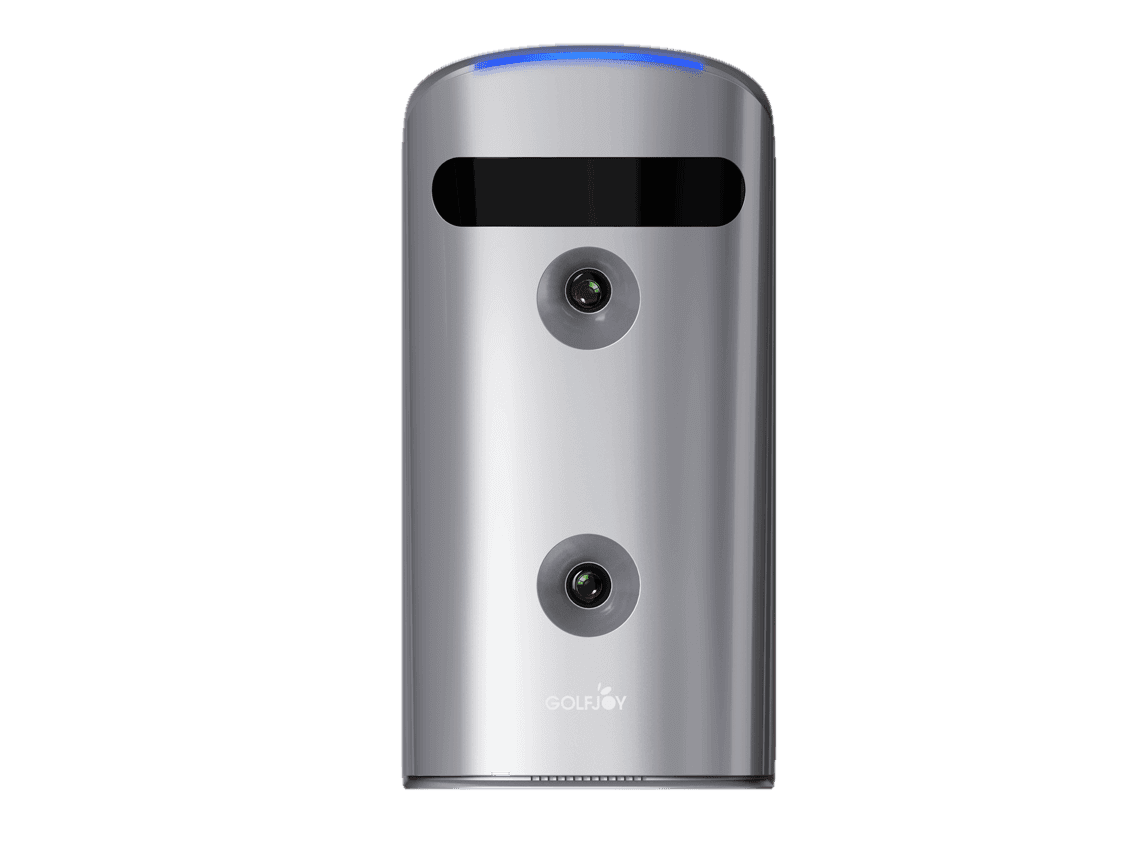 1 / 9
Portable Launch Monitors
Retired model, retained for existing-owner support
GDS Pro is no longer sold in the current US lineup. This archive keeps the model specifications, product media and published legacy manual available for existing owners. New buyers should review Spica 3.
Retired from current US sales
Existing-owner archive
We keep this page online for GDS Pro owners who need model information and the published legacy manual. New buyers can review the current Spica 3 instead.
Official demonstrations
GOLFJOY-produced footage is labeled separately from independent reviews. Use it to inspect product form, setup and operation where shown, then use the review section for third-party opinions.
GOLFJOY commissioned film
A commissioned archive film of the now-retired GDS Pro portable launch monitor, with real swings, software play and the unit in use.
GOLFJOY official video
Decision checklist
GDS Pro is retired from current US sales. These supplied images and videos remain available so existing owners can identify the unit and find the correct support path.
This page is an owner archive, not a new-product sales page. New buyers should review Spica 3.
Use the support page to open the reviewed GDS Pro manual before changing placement or calibration.
Older units can be on different software builds. Include the current version when asking for help.
The serial number and software version help support identify the correct next step for an existing unit.
Open any item for the detail. Product and installation photography is in the gallery above.
Product documents
Open the supplied product documents before finalizing bay layout, utilities and operating procedures. The written proposal controls the scope for the exact project.
PDF · Existing-owner resource
Use this published manual for an existing GDS Pro. The model is retired from current US sales.
Open the legacy manual ↗The numbers that matter
Review the hardware, setup and software details that matter before you choose a model.
In the box
Software terms: Legacy GOLFJOY software terms.
See it tested on camera
Real third-party reviews covering accuracy testing, setup, and software. Their channels, their opinions.
“Home golf simulator for under $5,000! Why this budget golf simulator is a game changer.”
Alex Etches Golf · YouTube creator · built a full home sim around the GDS Pro
“The combination of precise data capture, versatile software compatibility, and engaging game modes makes it a standout product in the market.”
Garage Golf · YouTube ~18K subscribers · mygaragegolf.com
Independent creators. Views are their own · more on the reviews page
Independent reviews and owner feedback
Every quote is real and linked to its source: YouTube reviews, Reddit, Golf Simulator Forum and verified buyers. Check for yourself.
Owner review“The numbers stayed consistent across outdoor radar reference checks and indoor camera-room checks.”
Owner review“Setup was simple using the GOLFJOY Lite app. The app guided me through calibration.”
Golf community“The enclosure is nice… the software is quite advanced.”
Customer reviews
Every review below passed a human check before publication. Star ratings, photos and source links come from the reviewer, and the badge on each card states how the reviewer is connected to GOLFJOY.
Showing 5 of 5 reviews
The combination of precise data capture, versatile software compatibility, and engaging game modes makes it a standout product in the market.
Home golf simulator for under $5,000! Why this budget golf simulator is a game changer.
The numbers stayed consistent across outdoor radar reference checks and indoor camera-room checks.
Setup was simple using the GOLFJOY Lite app. The app guided me through calibration.
The enclosure is nice… the software is quite advanced.
Every review passes a human check before it appears. We publish the reviewer's own rating and words as written, with only our house style applied: long dashes and semicolons become commas, GOLFJOY is written in capitals and sizes are written with an x. A paid or incentivized review carries that label on the card.
Skip the parts list
Pair it with a complete package: enclosure, screen, turf and product-specific GOLFJOY software terms in one price.
Before you decide
Straight answers about the GDS Pro, and where the honest answer is "it depends," we say so.
No. GDS Pro is retired from the current US sales lineup. This page remains available for existing owners. New buyers should review Spica 3, and existing owners can use the legacy manual or contact support with their serial number and software version.
Two high-speed cameras image the ball and club at the hitting area. Setup and calibration are guided through the GOLFJOY Lite app, and the system is designed for rooms with short ball-flight space.
Legacy GDS Pro purchases included 3 months of GOLFJOY software access. Existing owners should confirm the compatible renewal path with support. GSPro, E6 and Creative Golf 3D use licenses sold separately by their publishers.
About 2 yards from ball to screen or net, and a ceiling around 9 feet so a driver swing clears comfortably. Setup is app-guided through GOLFJOY Lite. The app walks you through calibration the first time.
If you already own a GDS Pro, you can use it with a net and later add an enclosure, screen, projector and mat. New buyers should review the current Spica 3 instead.
Open the published legacy manual or contact support with the unit serial number and installed software version.
Delivery, return, warranty and financing terms are confirmed before payment. Shipping · Returns · Warranty · Purchase Terms